PlayCam Guide
How To Start Recording
This page explains the full customer flow at a PlayCam venue — from scanning the QR code, completing payment with Midtrans QRIS, starting the recording, until you receive a download link via email.
Quick Overview
Keep this in mind so the process feels smooth on court.
Delivery
You’ll receive a download link via email after recording finishes and processing completes.
Expiry
Your download link expires in 14 days. Please download as soon as possible.
No app needed
Everything runs in your browser — just scan the venue QR and follow the checkout flow.
Email matters
Double-check your email address. The link is sent to the exact email you enter during checkout.
Step-by-step guide
Tap a step to expand details and screenshots.
1
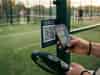
Scan the venue QR code
Open PlayCam in your browser directly from the court QR.
2
Select package and enter your email
On the PlayCam page, choose your recording package and carefully enter your email address. This is where we will send your download link after processing.

3
Pay with QRIS
Complete the payment using Midtrans QRIS to confirm your booking and enable recording.

4
Start recording
Begin recording your session once payment is confirmed.

What happens after recording?
Once recording ends, Playcam processes your video and sends you a download link via email.
Upload from the venue
After recording ends, the venue device uploads the video to storage.
Processing
PlayCam prepares the file and makes it ready for download.
Email sent
An email containing your download link is sent to the address you entered.
Download within 14 days
Download and back up your files early. The link will expire after 14 days.
Troubleshooting
FAQ